


Introduction
Winter travel weekends are a major opportunity for campgrounds, RV parks, cabins, and outdoor hospitality businesses. They also come with a predictable challenge: guests need more guidance, faster. Arrival windows are tighter, daylight is shorter, and weather can change plans quickly.
When information is scattered across paper sheets, voicemail, social posts, emails, and front-desk conversations, the same questions come up again.
The goal isn’t to send more messages. The goal is to make information easier to find so guests can get answers in seconds, not minutes. A BlueSpotGuide-style communication approach focuses on simple, practical tools: a mobile-friendly guest hub, QR tags placed where guests naturally pause, and short, clear messages that reduce confusion during the busiest parts of the weekend.
What Winter Weekend Guests Need Most
During winter stays, guests tend to ask fewer “activity” questions at first and more “confidence” questions, such as:
- Where do we go when we arrive?
- Is the entrance different after hours?
- What’s Wi-Fi?
- Are the roads icy?
- What’s open today?
- Where can we find rules and quiet hours?
These questions aren’t complaints. Guests are trying to avoid wasting time. Winter weekends are short, and small delays feel bigger when it’s cold, dark, or rainy.
The three winter communication priorities
- Arrival clarity – where to go, what to do, and what to scan
- Safety confidence – weather updates, road conditions, and emergency information
- On-property convenience – maps, amenities, rules, and activities
When those three needs are covered, front-desk traffic drops, and the guest experience improves without adding staff hours.
Build One “Source of Truth” for Guests
The fastest way to reduce repeat questions is to stop spreading answers across multiple platforms. Instead, create one guest information hub that works on any phone.
A strong winter weekend guest hub typically includes:
- A mobile-friendly property map
- Gate codes or entry instructions (if applicable)
- Wi-Fi network name and password
- Quiet hours and key rules
- Amenity hours (bathhouse, laundry, office, store)
- Winter notes such as ice warnings, closures, and where to get help
- Local, winter-friendly recommendations
This is where BlueSpotConnect fits naturally: a no-download digital guest guide that opens instantly from a QR scan. There’s no app to install, no paper to lose, and no outdated PDF links to manage.
Use QR Tags Where Guests Actually Pause
QR codes work best when they’re placed at natural decision points moments when guests stop and look for direction.
High-impact QR placements for winter weekends include:
- Entrance signage with arrival steps and the property map
- Bathhouse doors with hours, rules, and emergency contact information
- Laundry rooms with instructions and operating hours
- Cabin entry areas or welcome binders with the full digital guide
- Rearview mirror tags that guests can keep during their stay
Instead of telling guests to “check the website,” QR tags bring answers directly to them. That’s the difference between having information and delivering it effectively.
Streamline Arrival Before Guests Reach the Property
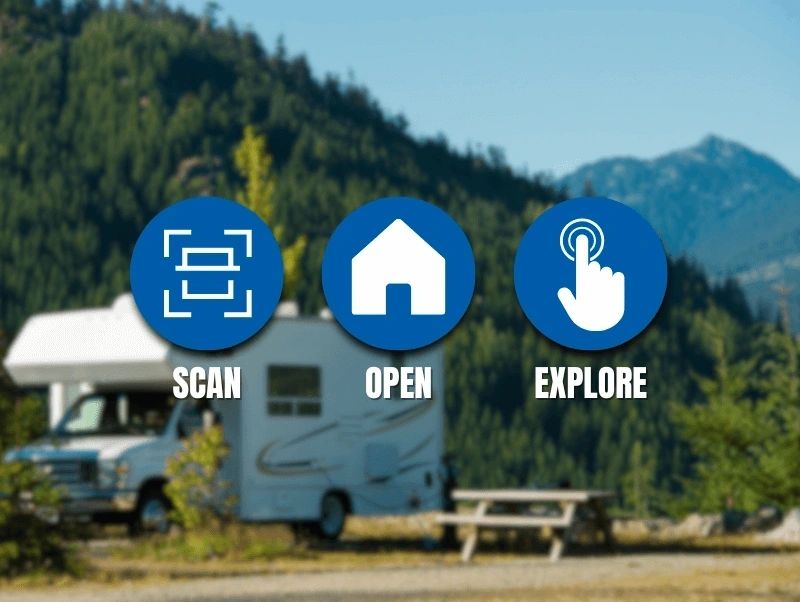
Winter arrivals go more smoothly when guests already know what to expect. A simple three-message flow covers most weekend needs without overwhelming guests.
Two days before arrival
Send a short “what to know” message that includes:
- Check-in time and after-hours instructions
- A link to the digital guest guide
- A brief cold-weather reminder, if relevant
Morning of arrival
Send a “ready to arrive” message with:
- The best entrance or parking notes
- A reminder to use the digital map
- Office hours and what to do if they arrive late
After check-in or first evening
Send a “settle in” message with:
- Wi-Fi details
- Quiet hours
- Where to find bathhouse and laundry information
- One winter-friendly local recommendation
This approach keeps communication helpful without feeling intrusive.
Winter Safety Messaging Guests Appreciate
Winter guests don’t want long warnings. They want clear, practical guidance.
Weather and road updates
For reliable local forecasts and alerts, direct guests to the National Weather Service. For broader travel guidance and links to state transportation resources, reference the U.S. Department of Transportation.
Keep your messages concise:
- What’s happening (snow, freeze, heavy rain)
- What it affects (roads, entrances, certain areas of the property)
- What to do (arrive before dark, use the main entrance, drive slowly, contact staff if delayed)
Emergency readiness
Including a short “just in case” section in your guest guide helps guests feel prepared, especially in areas prone to winter storms, power outages, or sudden temperature changes.
Make Amenities and Activities Easy to Find
In winter, guests often ask, “What can we do today?” Answering that question clearly once can prevent dozens of interruptions later.
Add a simple “Today” section to your digital guide that includes:
- Current amenity hours
- Any temporary closures
- A short list of winter-friendly local activities
- A simple event schedule, even if it’s minimal
Keep Requests Organized Without Adding Chaos
Winter weekends bring more last-minute requests, including extra blankets, site assistance, heating questions, late checkout requests, and nearby recommendations.
The solution isn’t answering faster, it’s reducing the number of places requests can come from.
Best practice includes:
- One phone number or chat channel for guest messages
- One digital guide link for information
- One internal process for handling requests, even if it’s a simple checklist
When guests know exactly where to look and where to ask, response times improve naturally and staff stress decreases.
Personalization That Doesn’t Add Work
Personal touches matter more in winter, when guests are looking for comfort. The key is personalizing without adding manual tasks.
Simple personalization ideas include:
- A brief “welcome back” notes for repeat guests
- A family-focused message with indoor options
- A couple-focused message with cozy dining suggestions
- A quick local tip, such as a scenic pull-off or sunset viewpoint
Even one thoughtful sentence can turn a standard stay into a memorable one and lead to better reviews.
Common Guest Communication Mistakes to Avoid
These issues create the most friction during winter weekends:
- Too many links instead of one clear guide
- Outdated information when winter hours change
- Long messages that guests won’t read on arrival
- Poor map clarity that makes sites or cabins hard to find
- Scattered communication across social media, paper, email, and voicemail
Conclusion
Simplifying guest communication during winter travel weekends comes down to one principle: make answers easier to access than questions. When guests can scan a trusted QR tag and instantly open a mobile-friendly guide with maps, rules, Wi-Fi details, hours, and winter updates, they feel confident and supported.
That’s where BlueSpotConnect supports the BlueSpotGuide approach by providing a no-download digital guest guide that’s easy to update, simple to use, and reliable during high-volume weekends. With the right setup, winter travel stops feeling chaotic and starts running like a smooth, repeatable system your staff can manage with confidence.
Frequently Asked Questions
What communication channels work best for winter weekend guests?
Text or SMS paired with a mobile-friendly digital guest guide works best. Guests can self-serve information and only contact staff when they truly need help.
How can smaller campgrounds reduce front-desk traffic without hiring more staff?
Centralize information into one digital guide, place QR tags at key decision points, and use a simple pre-arrival message flow to prevent repeat questions.
What should a winter pre-arrival message include?
Arrival steps, a digital map link, office hours, after-hours instructions, and a reference to trusted weather and road resources such as weather.gov and transportation.gov.