


Introduction
Travelers today expect speed, clarity, and flexibility the moment they arrive. After hours on the road or navigating unfamiliar places, the last thing anyone wants is to wait in line, hunt for instructions, or feel unsure about where to go next.
This shift toward self-directed access isn’t accidental. Across the United States, public agencies have emphasized contactless services, clear wayfinding, and easy access to information in public-facing environments. Organizations like the General Services Administration and the Department of Transportation consistently highlight the value of visible signage and traveler information systems in reducing congestion and confusion.
QR check-in applies these same principles to travel and hospitality settings.
Instead of relying entirely on front desks, printed binders, or verbal explanations, QR check-in connects physical touchpoints, such as maps, rearview mirror tags, and welcome stations, to a centralized, no-download Guest Hub. Travelers scan or tap once and immediately access directions, rules, amenities, emergency information, and local recommendations.
For travelers, this means less waiting and more confidence. For properties, it means clearer communication, fewer interruptions, and smoother arrivals during peak check-in times.
Understanding QR Check-In for Travelers
How QR Check-In Streamlines Arrivals
At its core, QR check-in replaces friction with access.
Rather than asking staff the same questions repeatedly, travelers scan a QR code or tap their phone and are instantly taken to a mobile-friendly Guest Hub. There is no app to install, no login required, and no learning curve.
This approach mirrors how many government-managed destinations already operate. The National Park Service, for example, uses QR codes at trailheads, parking areas, and visitor centers to share updated maps, alerts, and regulations, especially in large or remote areas where staff may not be immediately available.
QR check-in works well for travelers because:
- Phones are already used for navigation and travel details
- QR scanning is familiar and fast
- Information can be accessed anytime, not just at arrival
For busy events, campgrounds, and large properties, QR-based access also helps reduce crowding at central offices. Contactless information access has repeatedly been cited by public health and safety agencies as a practical way to limit unnecessary congestion in shared spaces.
Key Tools Used in QR Check-In
QR check-in is most effective when information is available in more than one place. BlueSpot’s system uses three primary tools, each designed for a specific moment in the guest journey.
iConnectMaps
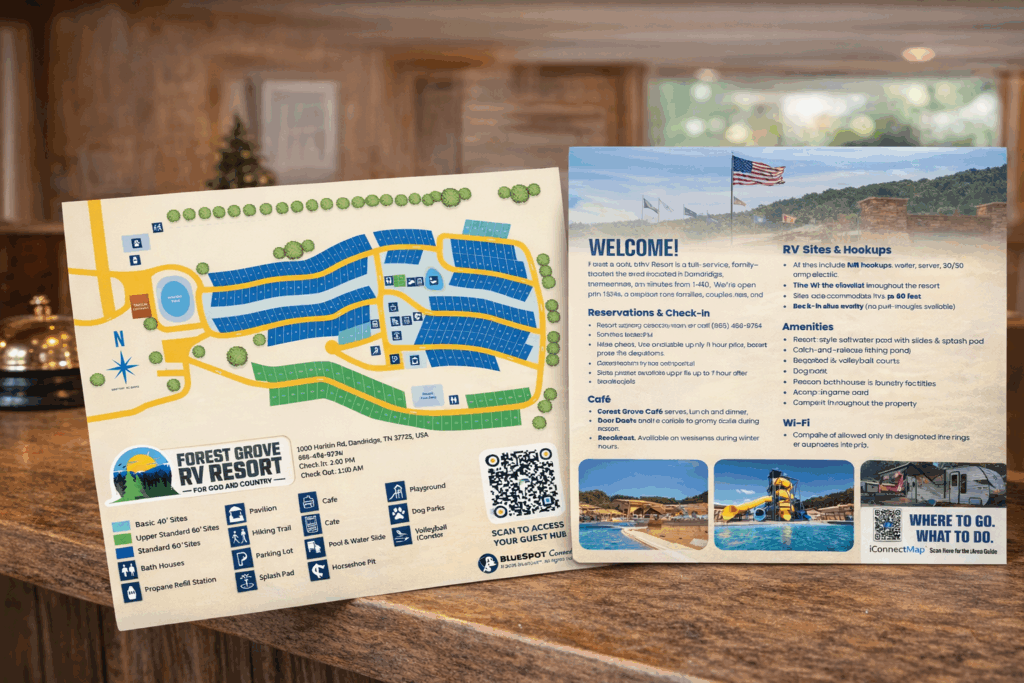
iConnectMaps are printed, full-color property maps, typically 8.5×11, handed to guests at check-in. They show the layout of the property, key locations, safety information, and include a scannable QR code.
When guests scan the QR code on the map, they are taken directly to the property’s no-download Guest Hub.
Printed maps remain a best practice in public environments. Agencies like FEMA consistently emphasize redundant communication, ensuring that guests have both physical orientation and digital access to current information.
iConnectTags
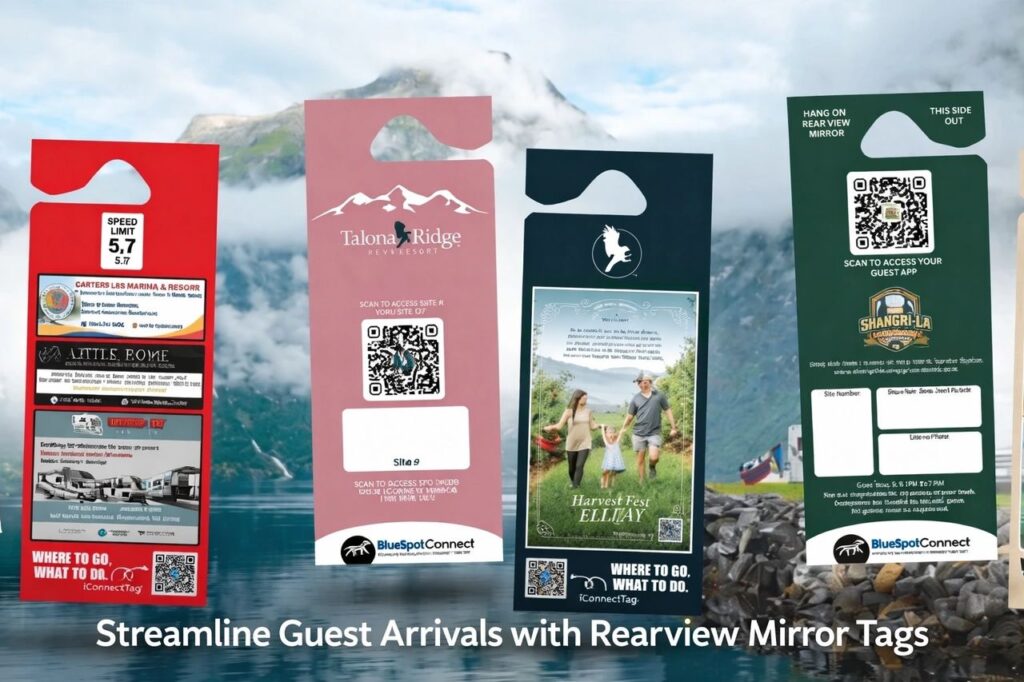
iConnectTags are custom rearview mirror tags provided to guests at check-in. They replace traditional parking tags and paper handouts with a single, scannable access point that stays inside the guest’s vehicle.
Each iConnectTag includes clearly labeled QR codes. Guests scan the tag using their phone camera to open the same Guest Hub linked from the map.
Because the tag hangs on the rearview mirror, guests have access to important information whenever questions come up, whether they are parked at their site, returning after dark, or planning their next activity.
iConnectTaps
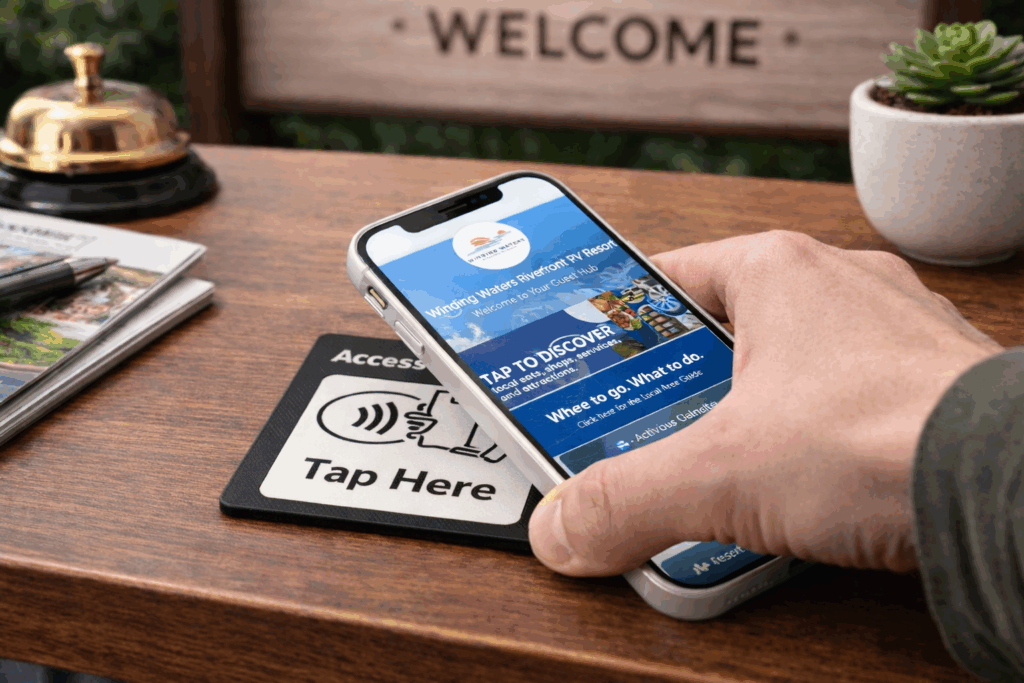
iConnectTaps are NFC-enabled tap points placed at front desks, kiosks, and welcome boards. Guests tap their phone to the plate to instantly open the same Guest Hub.
Tap-based access is ideal for walk-up locations and aligns with accessibility and usability standards promoted by the U.S. Access Board. Many iConnectTaps also include a visible QR code as a fallback option.
How Travelers Use QR Check-In in Real Time
Using iConnectMaps for Orientation and Navigation
From a traveler’s perspective, QR check-in through iConnectMaps feels intuitive:
Use It Throughout the Stay
While the printed map stays the same, the digital content can be updated anytime, reflecting best practices recommended by FEMA for keeping guidance current without reprinting materials.
Receive the Map at Arrival
Guests are handed an iConnectMap at check-in showing roads, amenities, landmarks, and safety notes.
Scan the QR Code
Using their phone camera, guests scan the QR code printed on the map.
Open the Guest Hub
The scan opens a mobile-friendly Guest Hub in the browser. No downloads are required.
Access Current Information
Guests find WiFi details, rules, emergency instructions, event schedules, and nearby attractions.
How iConnectTags and iConnectTaps Support Seamless Check-In
Effective QR check-in depends on placement, not quantity.
Public-space research consistently shows that people engage with information most when it’s available at decision points, such as arrivals, transitions, and points of return.
Best practices include:
- iConnectTags provided to every guest at check-in
- iConnectTaps at front desks or welcome stations
- QR access available without requiring staff interaction
Because scanning an iConnectTag and tapping an iConnectTap both open the same Guest Hub, travelers don’t have to learn multiple systems. This consistency reduces confusion and supports accessibility across a wide range of guests.
Conclusion
QR check-in isn’t about removing human interaction. It’s about making information available before frustration sets in.
By connecting printed iConnectMaps, rearview mirror iConnectTags, and tap-enabled iConnectTaps to a centralized, no-download Guest Hub and Digital Area Guide, QR check-in follows the same principles used by public agencies nationwide: clarity, accessibility, redundancy, and safety.
For travelers, this means fewer lines, fewer questions, and more confidence. For properties, it means smoother arrivals, reduced congestion, and staff who can focus on meaningful guest interactions instead of repeating the same instructions all day.
Frequently Asked Questions
Yes. iConnectMaps are designed to be handed out at arrival. The printed map provides immediate orientation, while the QR code connects guests to current digital information.
Yes. The physical map and iConnectTag remain the same, but the digital content inside the Guest Hub can be updated at any time.
QR check-in works especially well in campgrounds, RV parks, resorts, outdoor attractions, events, and large properties where guests benefit from both physical orientation and mobile-friendly access to information.
Make Arrival Easier for Guests and Staff
If you manage guest experience or operations, QR check-in is one of the simplest ways to improve arrivals without adding apps, extra hardware, or more work for your team.
BlueSpot Connect modernizes guest communication by connecting printed iConnectMaps, rearview mirror iConnectTags, and tap-enabled iConnectTaps to a no-download Guest Hub and Digital Area Guide.
Guests get answers instantly. Staff spend less time repeating directions and more time delivering great hospitality.
- Reduce front desk bottlenecks during peak arrivals
- Give guests clear, self-guided access to maps and rules
- Keep information current without reprinting
- Support accessibility and contactless best practices
QR check-in doesn’t replace your team. It supports them where clarity matters most.
👉 See how QR check-in can work at your property
- Reduce front-desk bottlenecks during peak arrivals
- Give guests clear, self-guided access to maps, rules, and amenities
- Keep information up to date without reprinting materials
- Support accessibility and contactless access best practices
Start with one map, one sign, or one tap point and scale from there.
QR check-in doesn’t replace your team. It supports them where guests need more clarity.
Ready to improve arrivals? Explore how a simple QR check-in setup can fit your property layout, guest flow, and staffing model.